A long opened issue for EinkBro states that after creating new background tab, it’s not possible to continue certain behaviors normally (e.g., modify query string, or load more content, etc in Google, and Twitter website).
In the beginning, I couldn’t reproduce the issues on my several devices with various Android OS versions. My first thought is that: it’s caused by different WebView versions and some of them are having issues.
After the user provided more information about his EinkBro app settings, I noticed that the root cause may be related to the handling logic of activation/de-activation of web tabs. And it brings us to today’s topic: the difference between onPause() and pauseTimers() .
Here’s the official document explanation of these two WebViewfunctions:
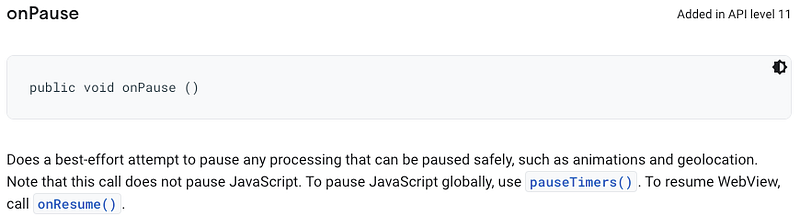
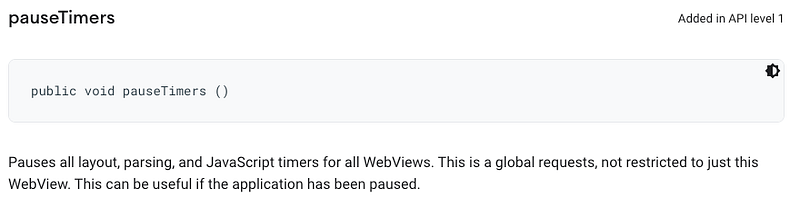
According to the documentation, it’s very clear that
onPause()is with scope of individual WebView instance, whilepauseTimers()is used to control all WebViews globally.
In original EinkBro implementation, when a tab is moved from foreground to background, pauseWebView() will be called; it includes calling both WebView::onPause() and WebView::pauseTimers() . This is where issue happened: WebView::pauseTimers() also stops javascript execution globally, including the tab in the foreground (it could be Google Search page or Twitter service, etc).
Solution
After figuring out the root cause, the issue is fixed with no big hazards:
Remove pauseTimers() from pauseWebView() since pauseWebView()function is for per WebView manipulation; and add pauseTimers() to Activity level onPause() lifecycle, so that all WebViews will stop running when EinkBro app is not in the foreground anymore to save battery consumption.
References
fix: #171 when opening new tab in background, it will cause current w… ·…