
The design concept of EinkBro APP is to reduce UI element by default as much as possible. When users need more features, they can add function icons to the toolbar, or enable features from Settings page. Multi-touch gesture support is implemented in this concept too. By default, it’s not turned on; users could browse the web just like other browsers. Once the user wants more flexible control over the web tab, they can enable multi-touch feature to access more quick functions by swiping on the screen with two fingers.
In this article, I would explain how this is implemented in EinkBro APP, and what mechanism is taken into consideration to prevent it from interfering web content zoom in/out feature.
Multi-touch Gesture Detection
To detect touch events, we need to implement an View.OnTouchListener first, and override onTouch function in it. From the argument, an MotionEvent object is given. We could get how many pointCount there is for the touch. Because we just want to handle two finger scenarios here, any other pointCount other than 2 are skipped (by returning false).
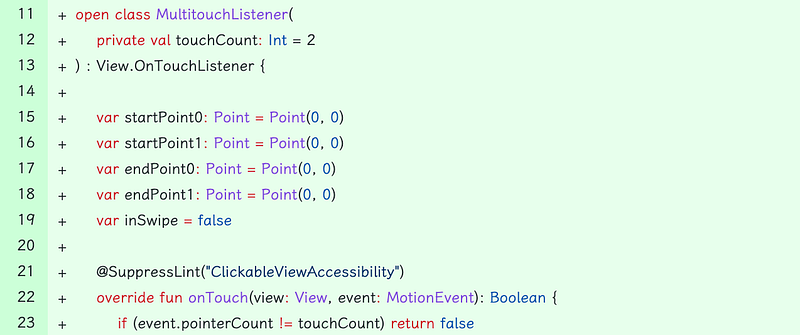
Inside onTouch, we need to handle ACTION_POINTER_DOWN, ACTION_POINTER_UP and ACTION_MOVE.
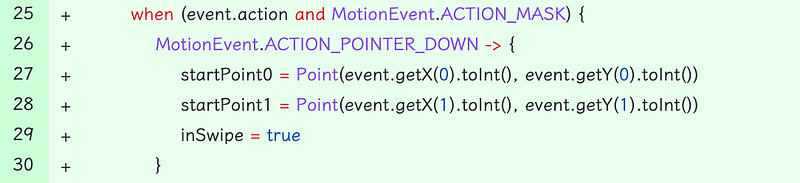
ACTION_POINTER_DOWN
keep track of the finger starting position, and set inSwipe flat to true.
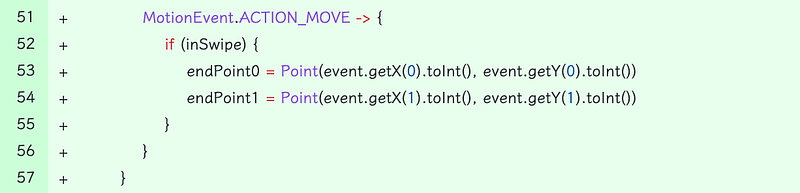
ACTION_MOVE
keep track of where user’s fingers are now.
ACTION_POINTER_UP
When user’s fingers leave the screen, we need to check end positions of fingers, and compare it to starting position to see if any actions should be called.
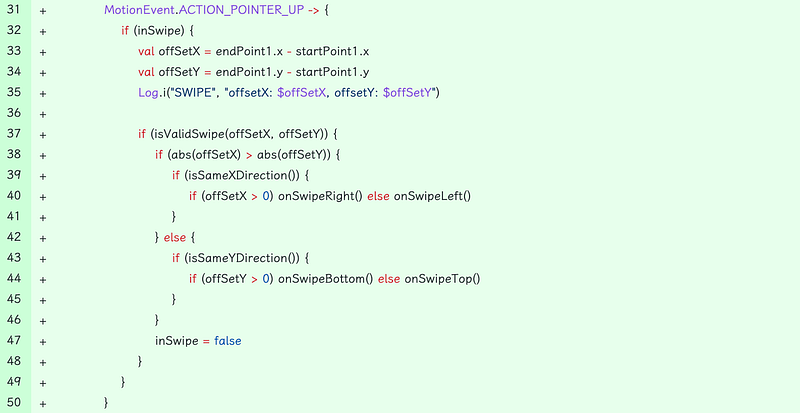
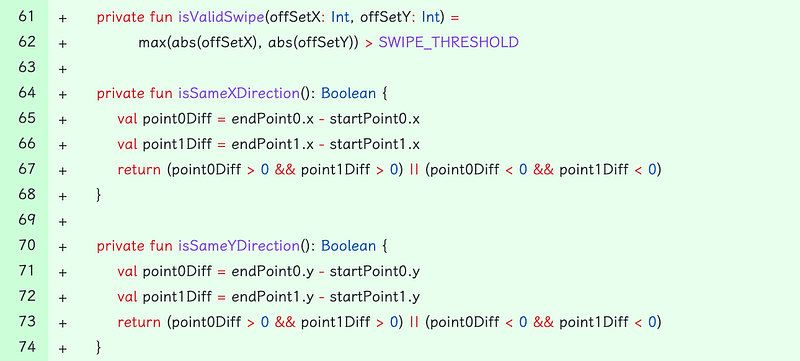
isValidSwipe is called, to check if the moved offset is larger than a predefined threshold. We don’t want to trigger these gesture functions accidentally. Once we think the swipe is valid, then we check what the movement is: up, down, left, right, and then, call corresponding configured functions.
With above implementation, the multi-touch gesture detection main logic is done. However, sometimes when the web content can be scaled by using two fingers, the zoom in/out behavior may accidentally trigger multi-touch gestures too. We need a mechanism to detect whether user wants to scale the web content or just swiping the screen when they use two fingers on screen.
Scale Gesture Detection
In Android, a built-in ScaleGestureDetector class is available to reduce our effort on figuring out whether the gesture is for scaling, and what’s the scale ratio.
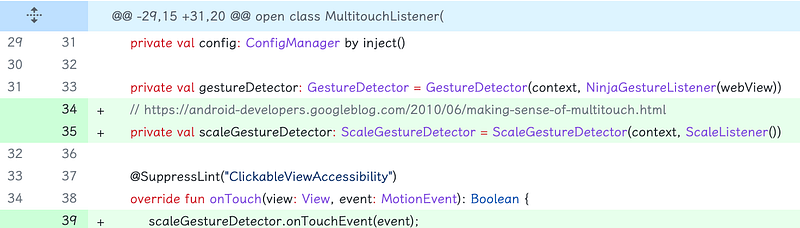
We created a ScaleGestureDetector instance in our MultitouchListener and pass all touch events to it too.
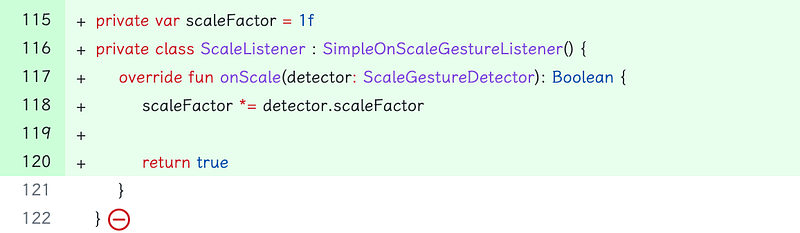
ScaleListener is a listener to receive onScale events. We can get changed scale factor here, and do what we want with the factor. In order to know the scale factor in MultitouchListener, we use a local variable scaleFactor to keep track of the value.
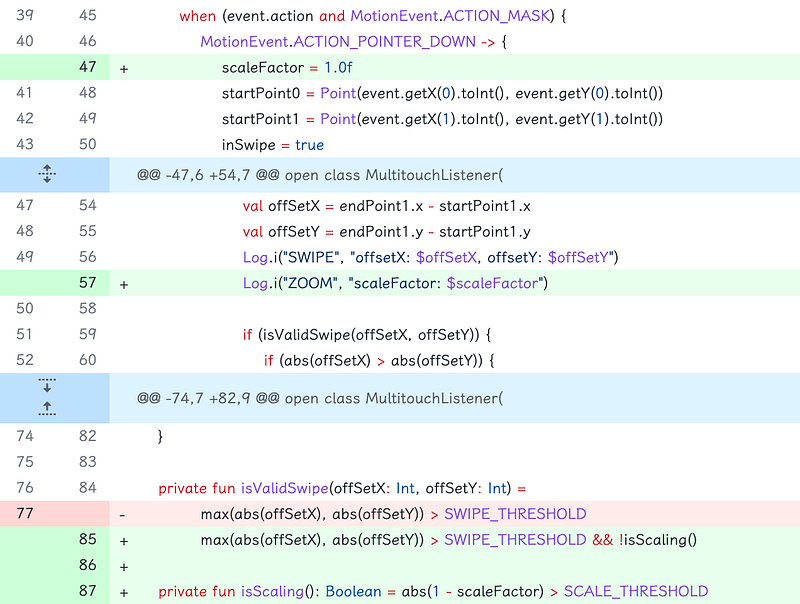
We extend MultitouchListener’s onTouch function as below:
ACTION_POINTER_DOWN
reset scaleFactor to be 1.0
ACTION_POINTER_UP
Here, we will check isValidSwipe function. In addition to check swipe threshold, we also need to check the scaleFactor. If difference is within a threshold, we don’t think it’s a scale at all. If so, we think user is scaling now, and skip the two finger swipe action.
That’s all for the detail implementation. As for the supported functions for two-finger swiping:
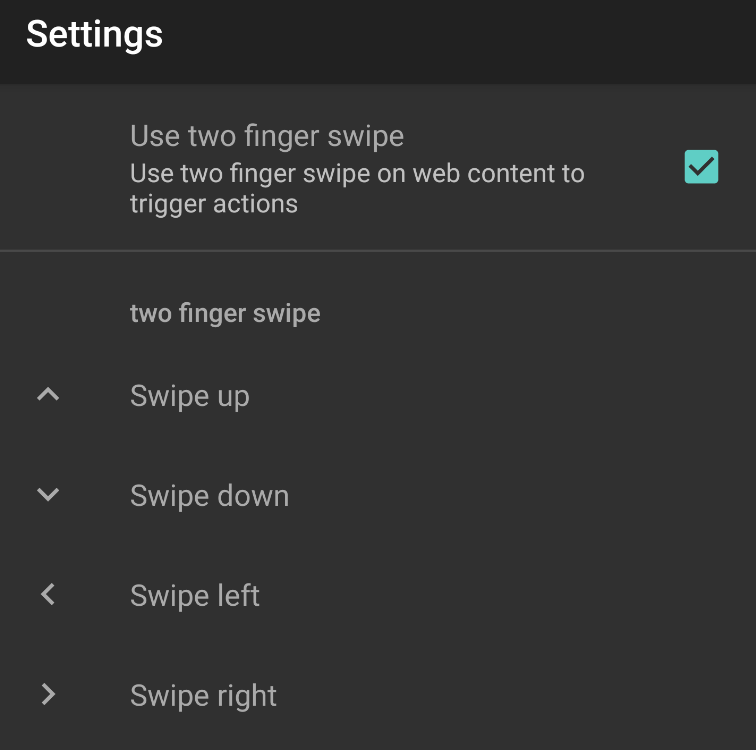 swipe types
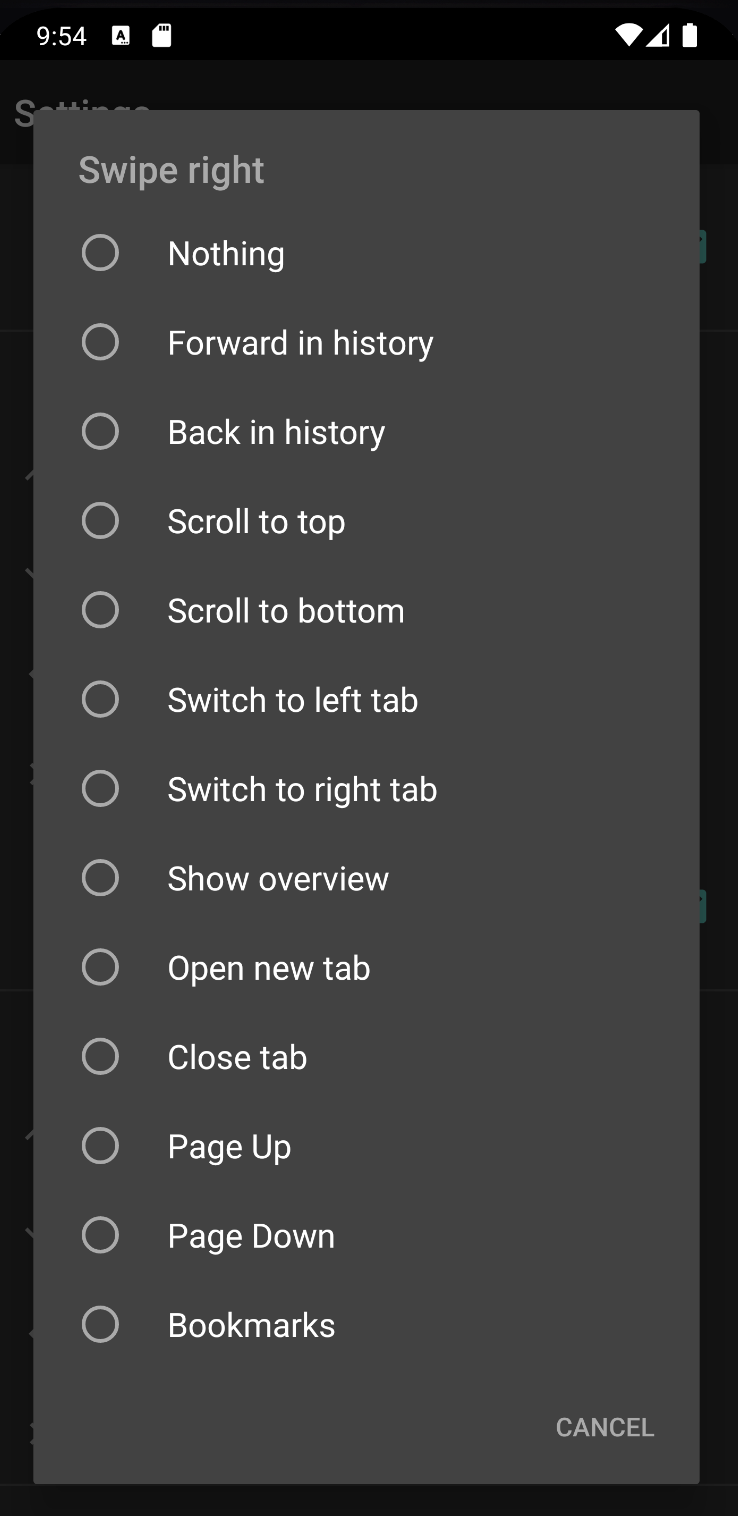 Supported swipe functions
For my personal preference, I have following configuration:
Swipe up: show bookmarks
Swipe down: close current tab
Swipe left: show next tab
Swipe right: show previous tab
It’s much faster than looking on the toolbar, and clicking on the buttons.
Reference
Commit 1: Multi-touch listener