我的出書之路
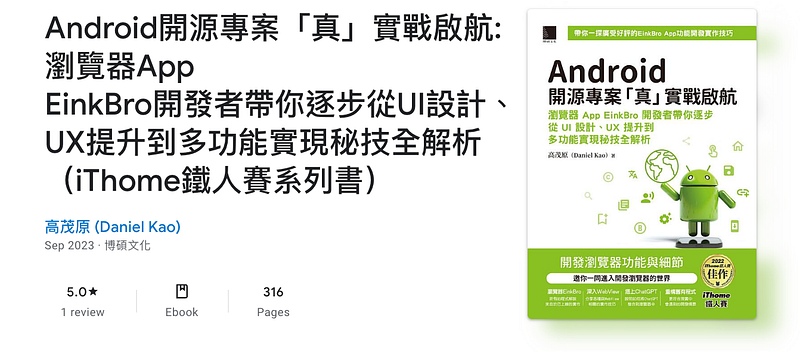
這篇文章會說明我即將出版的書 “Android 開源專案「真」實戰啟航:瀏覽器 App EinkBro 開發者帶你逐步從 UI 設計、UX 提升到多功能實現秘技全解析” 的漫長出書過程。 ...
這篇文章會說明我即將出版的書 “Android 開源專案「真」實戰啟航:瀏覽器 App EinkBro 開發者帶你逐步從 UI 設計、UX 提升到多功能實現秘技全解析” 的漫長出書過程。 ...
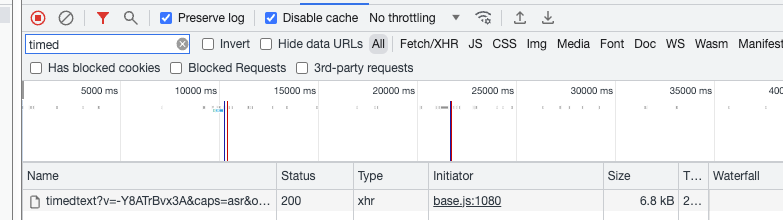
這篇文章將講解怎麼在 EinkBro 中利用攔截 http request,將 Youtube 影片在呈現字幕時,能夠順便顯示第二種外語字幕。 這樣子的功能通常都是在 PC 瀏覽器上利用外掛的 extension 完成的。在手機或是平板上幾乎很少有瀏覽器可以支援這樣子的效果。之前我也一直很想要在平板上有類似這樣子的功能,原先是想要修改很好用的 Youtube Alternative App NewPipe,無奈它採用了 ExoPlayer 當播放器,而 ExoPlayer 對我來說又過於複雜,最終一直沒有試出來。 ...
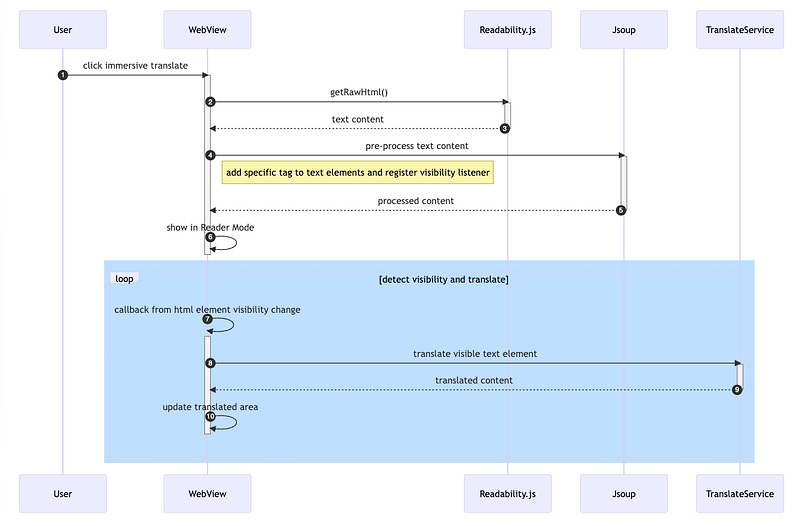
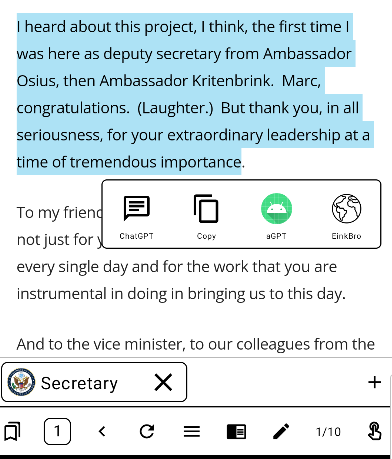
前不久有人推出了 Desktop 上瀏覽器的 Immersive Translation Plugin,可以在看外文網頁時,以段落的方式翻譯內容。這種方式對於正在學習語言或是想要雙語對照著看的用戶來說,真的是一大福音。 ...
找到合適的 OpenAI 函式庫 包裝成 Repository 和 ViewModel 可以拖拉的對話框 新增設定介面 光是請 ChatpGPT 來幫忙寫 code 已經無法滿足我了,下一步是將 ChatGPT 整合進 EinkBro 中,讓使用者自己決定怎麼跟它互動。 ...
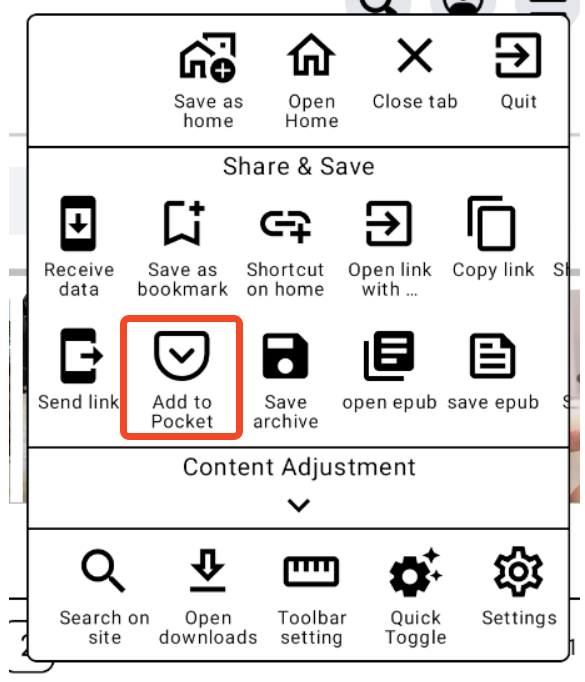
利用 ChatGPT 給出基本的認證流程 請它再實作出 add Url to Pocket 的函式 最後,請它將其中一個 request 從 callback 的型式改成 coroutine Pocket 服務能讓使用者將網路上想要保存的網頁儲存到 Pocket 的空間去,利用有優化過的 Reader Mode 來閱讀和整理分類。雖然我使用它的頻率不高,但如果能把它整合到 EinkBro 中,對於在電子書閱讀器上有安裝 Pocket App 的人來說,能夠更方便地將文章加入到 Pocket 清單中。 ...
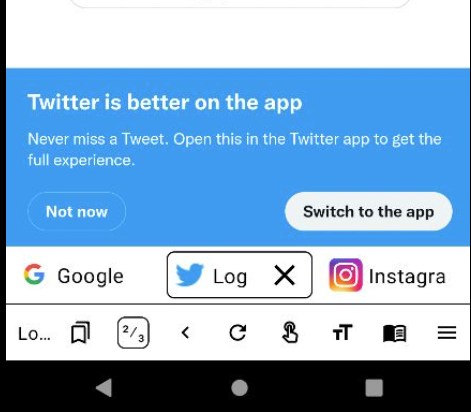
從 v9.7.0 開始,EinkBro 支援在畫面上固定顯示分頁的列表。如果開啟這功能的話,整個介面看起來會更像是傳統的瀏覽器;能夠在不同分頁間快速切換。很適合在一般的電子書閱讀器上開啟。 ...
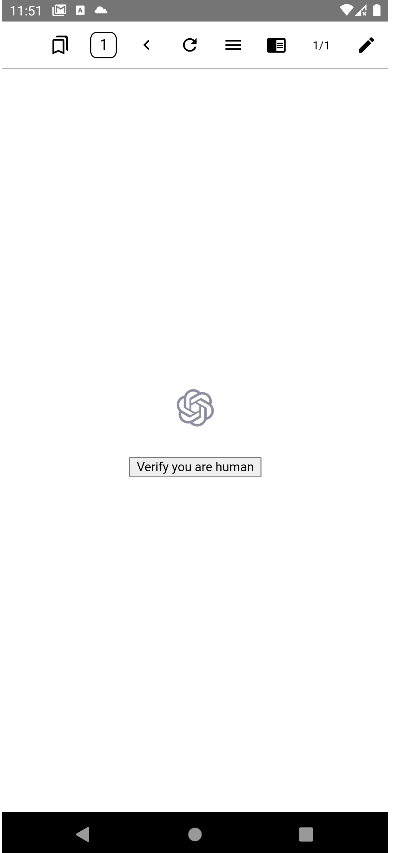
最近 chatGPT 相當熱門,不論有什麼問題需要網路的協助,總是可以先找 chatGPT 聊聊,看看它有什麼想法。不過,在使用 EinkBro 想要登入 chat.openai.com 時,它會跳出下面的畫面要我先檢驗我是 human。然後,我怎麼按它都會回傳失敗。也因此,一直無法在 EinkBro 中使用 chatGPT 網頁的服務。 ...
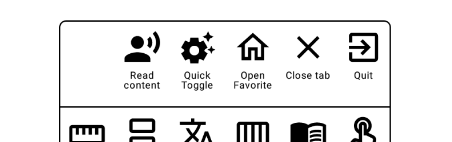
EinkBro 做為一個瀏覽器,很多開發的功能都是圍繞著內容呈現的調整。今天,要來介紹 9.14.0 新加入的特別功能:語音閱讀網頁內文。 在 Android 上,Text to Speech 功能早在 API level 4 就開始支援,不過,好像很少有瀏覽器有支援這功能。畢竟,大部分人使用瀏覽器都是想要用眼睛去看內容,而網頁的篇幅通常也不會太長。 ...
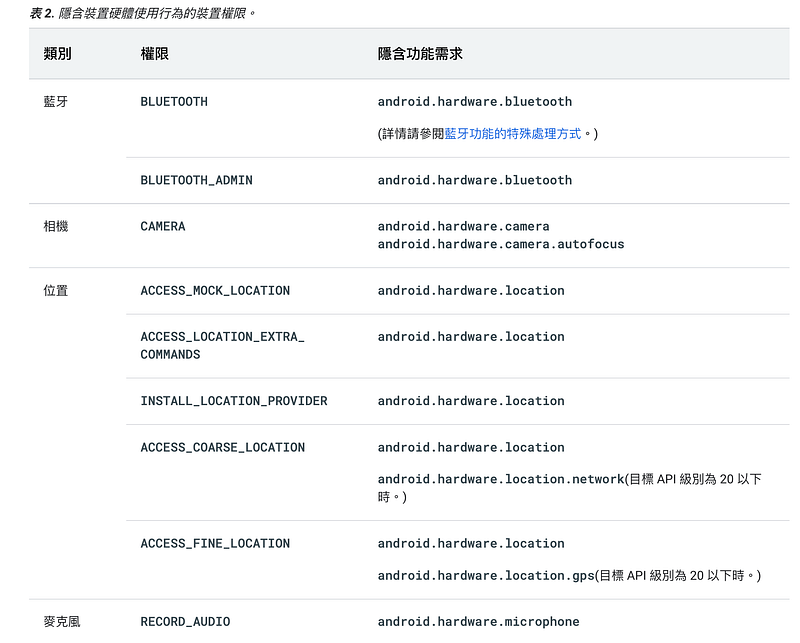
這也是老毛病了。三不五時會有使用者反應,雖然在 Google Play Store 中可以找到 EinkBro,但想要下載時,畫面上卻顯示 “您的裝置與這個版本不相容”。由於之前我也沒認真去研究為什麼會發生,所以通常解決方式都是:請使用者上 Github 網站,直接下載 apk 來安裝或是去 f-droid 上安裝。 ...
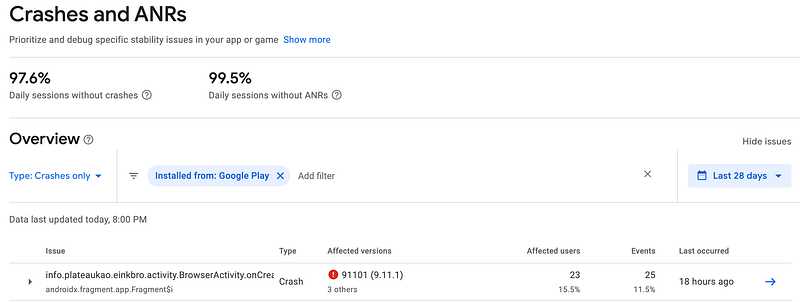
最近下載 EinkBro 的使用者多了一點。早期不太去理它的臭蟲,也因此發生得愈來愈頻繁。今天終於花了點時間找出原因,並且解決了它。 從 App 版本和 Android OS 版本看來,這是個非特定設備下就會觸發到的問題。之前一直沒理它的原因是,雖然 Google Play Console 上有 Crash 的 callstack (如下圖),但是有寫跟沒寫差不多,因為沒有真的寫出行數,只能在 BrowserActivity::onCreate() 裡自己找線索。 ...