Multi-touch Gesture Support for EinkBro APP

The design concept of EinkBro APP is to reduce UI element by default as much as possible. When users need more features, they can add function icons to the toolbar, or enable features from Settings page. Multi-touch gesture support is implemented in this concept too. By default, it’s not turned on; users could browse the web just like other browsers. Once the user wants more flexible control over the web tab, they can enable multi-touch feature to access more quick functions by swiping on the screen with two fingers. ...

March 6, 2022

Annotation Support for Epub file in EinkBro App

EinkBro browser is developed to support similar behavior of ereader APP to a normal browser, including page-by-page scroll feature, and more powerful text style customization. Nevertheless, no matter how well EinkBro is developed, sometimes normal ereader APPs are still more suitable for long-term reading. As a consequence, I also implemented the “Export to epub file” feature, so that users can export their favorite web content to a standard epub file for later reading on other devices or APPs. ...

February 1, 2022

改善將網頁內容寫入既有 epub 的流程

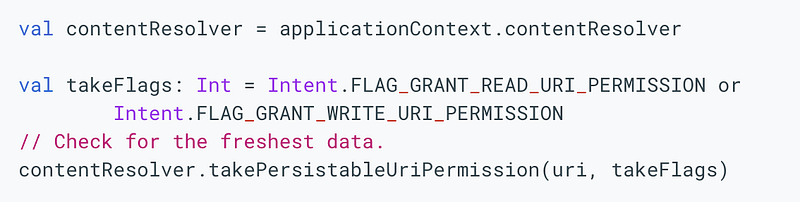
目前 EinkBro 有提供儲存網頁成 epub 檔案的功能,這大概是少數(或是唯一)瀏覽器有提供的功能之一。不過,礙於 Android 每次升版對於檔案的存取方式都不斷在(亂無章法地)改進,到目前為止,最通用的開啟手機上檔案方式是:利用 Intent.ACTION_CREATE_DOCUMENT 叫起系統的 file expolorer default APP,從那很不好用的介面中選取想要的檔案,或新增一個檔案。 ...

January 9, 2022

看網頁時支援將背景由黑轉白

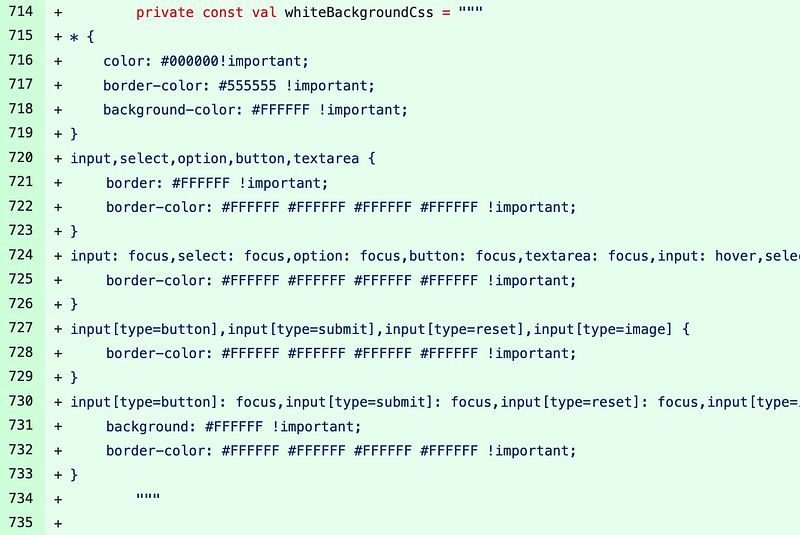
使用 EinkBro APP 時,常會遇到網頁背景是黑色的,最常見的應該就是在開啟 ptt 的文章時。由於電子紙的特性,在黑底白字的使用場景下,很容易就會產生很多殘影,需要更頻繁地重新更新畫面。 ...

November 24, 2021

在 Android 中利用 Room + Flow + ViewModel + RecyclerView 讓畫面上的列表自動反應資料庫的資料更新

EinkBro App 中的實作大都是用很舊很舊的技術。雖然隨著功能不斷增加,我有逐漸把一些檔案翻新成 Kotlin,和盡量把相關的邏輯抽出到獨立的 class 或檔案中,不過整體來說,架構還是很老派(其實就是沒有什麼架構,全部的邏輯幾乎都塞在同一個 Activity 中)。 ...

October 27, 2021

參加 iThome 鐵人賽的感想

今年因為開發 EinkBro App,寫了不少與之相關的開發記錄文章。剛好有同事建議可以參加看看鐵人賽,就報名了。在之前完全不知道國內有這種活動,看來我平常接觸的資訊太少了。 ...

October 16, 2021

快上加快 — EinkBro (14)

快上加快 — EinkBro (15) 原以為這麼小的一個 App,不到 3MB (扣除擋廣告的資料檔)的實作,既沒有任何的 tracking 機制,也沒有去網路抓任何非網頁內容的資料回來,理論上網頁載入速度要快到不行才對。 ...

September 16, 2021

可自訂的工具列 — EinkBro (13)

可自訂的工具列 — EinkBro (14) 隨著開發的功能愈來愈多,工具列的空間已不足以將所有的功能都排在上面;而且也不是每個功能都是使用者會常用的功能。為了要解決這個問題,工具列開始支援自訂,讓使用者可以自訂工具列上的功能和排序方式。如果能在上面放上最常用的功能,使用者就不用頻繁地開啟層層選單找尋功能按鈕。 ...

September 11, 2021

全文翻譯功能再進化 — EinkBro (13)

之前在 EinkBro 全文翻譯的作法是:為了要避免丟進翻譯網頁的文字內容充滿太多非本文的部分,會在事前先利用 Reader mode 將網頁內容淨化,然後再把 Reader mode 的內文餵到翻譯網頁中。這樣子雖然可以解決畫面過於淩亂的問題,但畢竟網頁的格式被簡化了,不見得是使用者想要的觀看方式。 ...

August 25, 2021

Android 中可以調整畫面大小的雙視窗畫面(TwoPaneLayout) — EinkBro (12)

可以調整畫面大小的 Custom View 在 EinkBro App 完成全文翻譯的功能後,使用上相當愉快,能夠快速地看左右對照翻譯完後的結果。但是用著用著,又覺得有那麼一點點不順手。原因是目前的實作方式是將畫面左右各切一半,左邊是原本網頁內容,右邊是翻譯後的結果。如果我是用海信 A7 手機在看網頁的話,由於手機的形狀是長形的,會造成兩邊的畫面相當窄,只能縮小字型來提高可見的文字量。有些時候會懶得一直對照著看。這時就希望視窗大小是可以調整的:想看翻譯時,可以把翻譯畫面變大;想看原文時,可以把原本網頁的部分變寬。甚至是,如果能改成上下分割的話,就更完美了! ...

July 20, 2021